The Hidden Cost Center in Your Operation
Ask most property management operators where they are losing money and you will hear about vacancy, maintenance costs, and collection losses. You will rarely hear about double data entry. But for most portfolios running on two or more software platforms, manual data re-entry is one of the largest controllable cost centers in the operation — and almost nobody has measured it.
This post exists to help you measure it. We will walk through where manual re-entry happens in a typical multifamily operation, what it costs in time and errors, why adding more software usually makes it worse, and what eliminating it actually looks like in practice.
The number is almost always larger than operators expect.
Why the Problem Exists
Property management operations typically run across multiple software platforms: a property management system for leasing and resident records, a separate CRM for prospect management, an accounting platform for financial reporting, a maintenance system for work orders, and often a revenue management tool, a communication platform, and a reporting dashboard on top of those.
These platforms are rarely fully integrated with each other. The integrations that exist between them are usually partial — covering the most common data flows but leaving gaps everywhere the edge cases live.
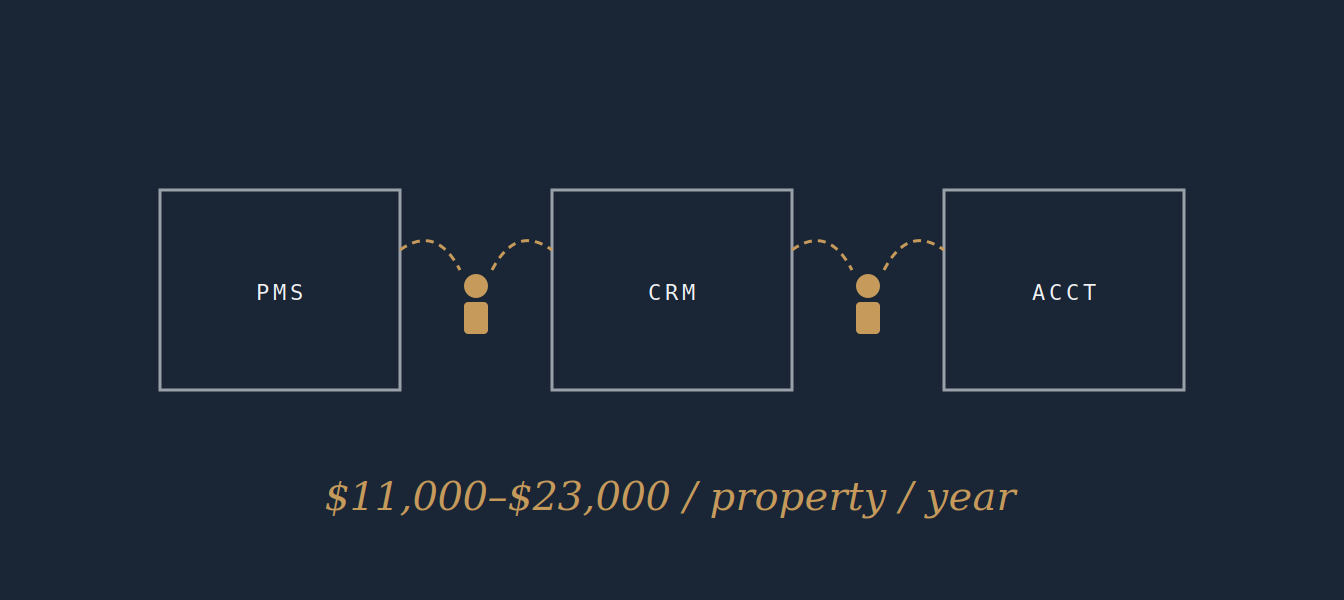
The gap between what the integrations promise and what they actually handle is where your site teams live. They are the human integration layer. They do it manually, hundreds of times a week, because there is no other option.
The integration myth: "Our systems are integrated" is one of the most misleading statements in property management technology. Integration between platforms typically means a scheduled data sync of a subset of fields, not a live, bidirectional, complete data flow. The gaps in that sync are filled by your staff.
Where It Happens: A Full Inventory
The table below maps the most common manual re-entry tasks across a typical multifamily operation.
Data Entry Task | Avg. Time per Occurrence | Typical Weekly Frequency
Enter new prospect from ILS into PMS | 4–6 min | 25–60× (per property)
Update applicant status across systems (CRM + PMS) | 3–5 min | 15–40×
Transfer lease data from PMS to reporting dashboard | 6–10 min | 5–15×
Log resident communication notes in multiple systems | 3–5 min | 20–50×
Create work order from resident email or voicemail | 4–7 min | 20–60×
Update work order status in PMS after vendor completion | 3–5 min | 15–40×
Re-enter vendor invoice into accounting system | 5–8 min | 10–30×
Compile weekly occupancy/leasing report manually | 20–45 min | 1–2×
Reconcile data discrepancies across platforms | 15–30 min | 2–5×
Prepare move-in/move-out documentation across systems | 10–15 min | 3–10×
Running the Numbers
Using the midpoints from the table above, a single property with 150–300 units is likely generating 10–16 hours of manual re-entry work per week. At a fully-loaded staff cost of $22–28 per hour, that is $220–$450 per week, per property, in pure administrative labor that produces no direct value.
Annualized, that is $11,000–$23,000 per property in manual re-entry costs. Across a portfolio of 20 properties, you are looking at $220,000–$460,000 per year in labor spent moving data from one system to another.
That is before you account for errors.
What Breaks When Data Entry Goes Wrong
Manual re-entry does not just cost time. It introduces errors — and those errors propagate through systems in ways that are expensive, slow to detect, and often blamed on the wrong cause.
When This Goes Wrong… | The Immediate Impact | The Downstream Effect | What Gets Blamed
Prospect data not synced from ILS to CRM | Agent follows up with wrong info or misses follow-up entirely | Prospect leases elsewhere; lost revenue | "Agent didn't follow up"
Work order not updated after completion | Resident calls again; manager re-investigates | Staff time wasted; resident frustration | "Maintenance dropped the ball"
Invoice entered with wrong unit number | Accounting reconciliation fails; cost allocation is wrong | NOI reporting inaccurate for the period | "Finance made an error"
Occupancy data not synced by reporting deadline | Manager pulls from a different system; numbers don't match | Leadership makes decisions on stale data | "The software is unreliable"
Move-out date entered in one system but not updated in another | Lease renewal outreach sent to a vacated unit | Make-ready delayed; unit sits vacant longer | "Nobody communicated"
The real cost of a data entry error: The downstream costs — delayed make-readies, stale occupancy data, miscommunicated work orders, inaccurate NOI reporting — are typically 3–5× the original time cost of the entry error itself.
Why Adding More Software Is Not the Answer
The reflex response to the data fragmentation problem is to buy another tool: a data integration platform, an iPaaS solution, a "unified property management hub." Sometimes these help at the margins. They rarely solve the underlying problem.
Integration platforms connect systems. They do not redesign workflows.
A tool like Zapier or a custom API integration can automate specific data transfers between two systems. But it can only move the data that exists in the format it expects, triggered by the events it is configured to watch. When your workflow does not match the integration's assumptions, the integration fails silently or creates its own data problems.
"All-in-one" platforms solve the wrong problem.
The pitch of a unified property management platform is compelling: one system, one database, no re-entry. In practice, operators on a single platform still deal with re-entry because the platform does not cover every function. The stack remains fragmented; the re-entry remains.
The actual solution is workflow automation, not system replacement.
The right frame is not "how do we get all our data into one system?" It is "how do we eliminate the manual handoffs between systems so that data moves automatically, accurately, and without human intervention?" That is an AI workflow problem. The answer is building autonomous processes that sit across your existing tech stack and execute the data transfer automatically — without a person in the loop.
What Eliminating Re-Entry Actually Looks Like
This is not theoretical. We have built these workflows inside real portfolios.
Scenario 1: New Prospect from ILS to CRM to PMS
Current state: A prospect submits an inquiry on Apartments.com. A leasing agent manually enters the prospect into the PMS, creates a CRM record, assigns the follow-up task, and logs the lead source. Four manual steps, 8–12 minutes, multiple opportunities for error.
Automated state: Prospect inquiry triggers an AI workflow. Contact record is created in both the PMS and CRM simultaneously, lead source is logged automatically, follow-up sequence is initiated, and the leasing agent receives a prepared response draft. Zero manual steps. Response time drops from hours to under five minutes.
Scenario 2: Work Order Lifecycle
Current state: Resident emails about a maintenance issue. Property manager reads the email, manually creates the work order, assigns it to a vendor, updates the PMS, and sends the resident a confirmation. Six to eight manual steps across three systems.
Automated state: Resident communication triggers work order creation, vendor assignment, resident notification, PMS update, and calendar scheduling — all automatically. On completion, vendor confirmation triggers status updates across all systems. Total manual involvement: near-zero for standard work orders.
Scenario 3: Weekly Reporting
Current state: Regional manager spends 45–90 minutes each week pulling data from three separate platforms, reconciling discrepancies, formatting the output, and distributing it to ownership. Same task, every week, producing a report that is already out of date.
Automated state: AI workflow pulls, reconciles, formats, and distributes the report automatically each week. The regional manager reviews a completed document, not a blank spreadsheet.
The compounding effect: Eliminating re-entry does not just save the time of the task being automated. It eliminates the downstream corrections, the data reconciliation, the delayed decisions, and the staff frustration that compound from every manual entry that goes wrong. The total value is typically 3–4× the face-value time savings.
Calculate Your Number
Before you do anything else, run this calculation for your own portfolio. It takes about fifteen minutes and produces a number that makes every subsequent conversation about AI investment much simpler.
- Step 1: Pick one property. Choose one that is representative of your portfolio — not your most complex, not your simplest.
- Step 2: Interview the site manager and leasing staff. Ask them to walk you through every task in their week that involves entering information into more than one system.
- Step 3: Multiply time × frequency × fully-loaded hourly cost. Use a fully-loaded figure that includes payroll taxes and benefits — typically 1.25–1.35× base wage.
- Step 4: Extrapolate across your portfolio. Multiply by number of similar properties. Add a conservative error-cost multiplier of 1.5× to account for downstream rework.
- Step 5: Compare to the cost of automation. A well-scoped AI workflow implementation should generate a payback period of 6–18 months depending on portfolio size.
Most operators who run this calculation come away with a number that surprises them. Not because the individual tasks are expensive — but because no one has ever added them all up before.
The Conversation Worth Having
Double data entry is not a technology problem. It is an operational design problem that technology can solve — if the technology is designed around your actual workflows rather than sold to you as a platform add-on.
The operators who are eliminating this cost are not doing it by replacing their entire tech stack. They are doing it by mapping the specific manual handoffs that are costing them the most, building autonomous workflows to handle those handoffs, and measuring the outcome.
If you have run the calculation above and want to understand what automation would actually look like for your portfolio, that is a conversation worth having. We have built these workflows. We know what they cost, what they return, and how long they take to implement.
The number is almost always larger than operators expect. The solution is almost always more straightforward than they fear.